A Simpler Way for Business Owners to Manage Receipts
If receipts are sitting in your truck, in your pocket, in your glove box, or buried in your camera roll — you are not alone. For many small business owners, the hard part is not getting the receipt. It is keeping everything organized later.
This is a workflow built and used in a real business. The goal is simple: capture receipts from your phone, review the key details, save them neatly, and make bookkeeping prep much easier when the time comes.

The receipt pile-up problem
Receipt admin does not feel like a big issue in the moment. It becomes a big issue later — when someone has to sort everything, find missing receipts, or explain purchases to a bookkeeper.
According to a Sage study, business owners spend an average of 120 hours a year on financial admin. That figure varies by business, but it shows why even small improvements to admin workflows add up fast.
Who this is especially useful for
- General contractors and renovators
- Electricians, plumbers, HVAC, and other field service businesses
- Landscapers, snow removal, and property maintenance teams
- Any small business making frequent purchases while on the go
What the workflow does
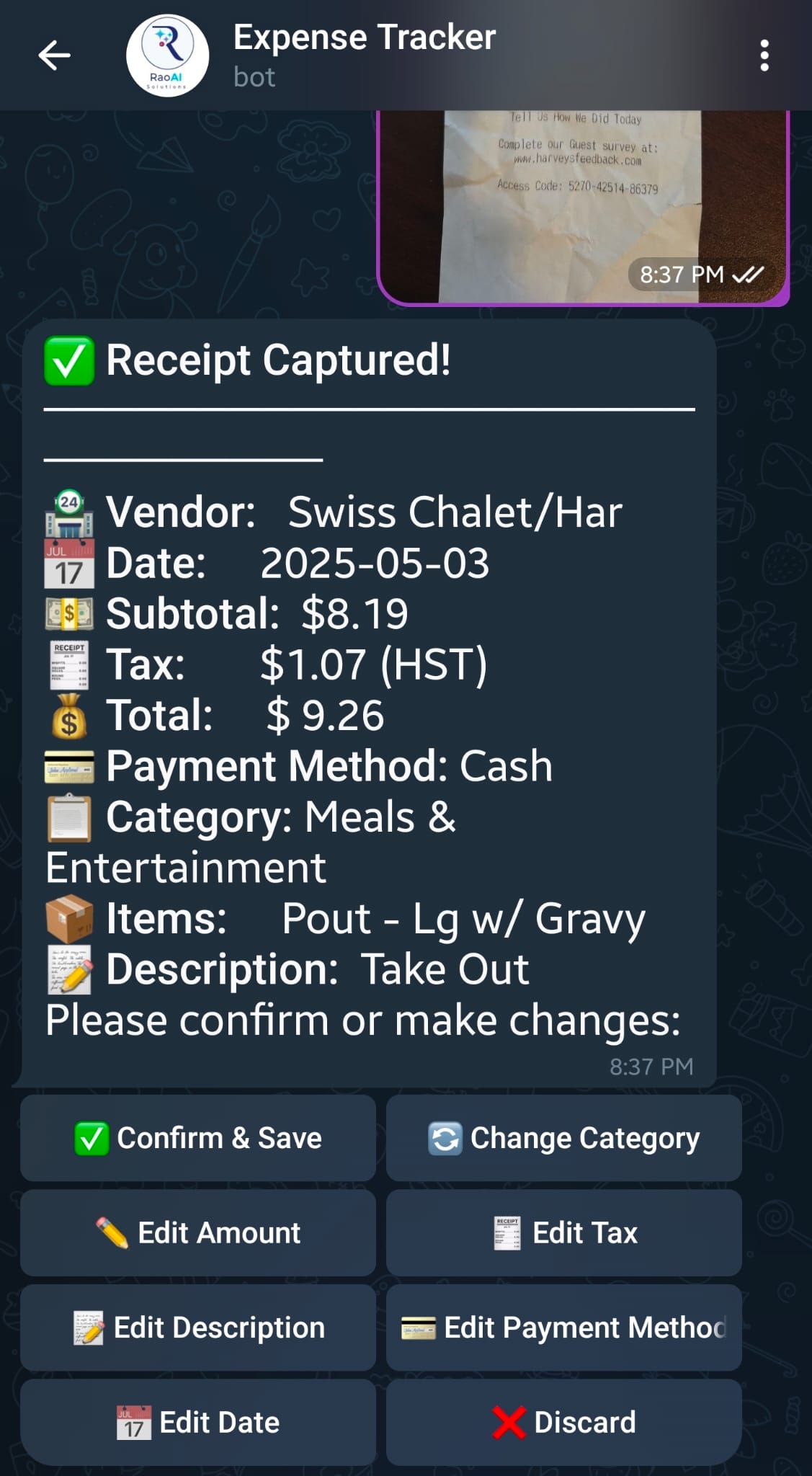
The process starts when a user uploads a receipt or document through Telegram. The workflow then uses AI to extract the important details — date, vendor, tax, total, and key line items.
Before anything is saved, the user can review the information, correct the date or amounts, add a description, and confirm that everything looks right.
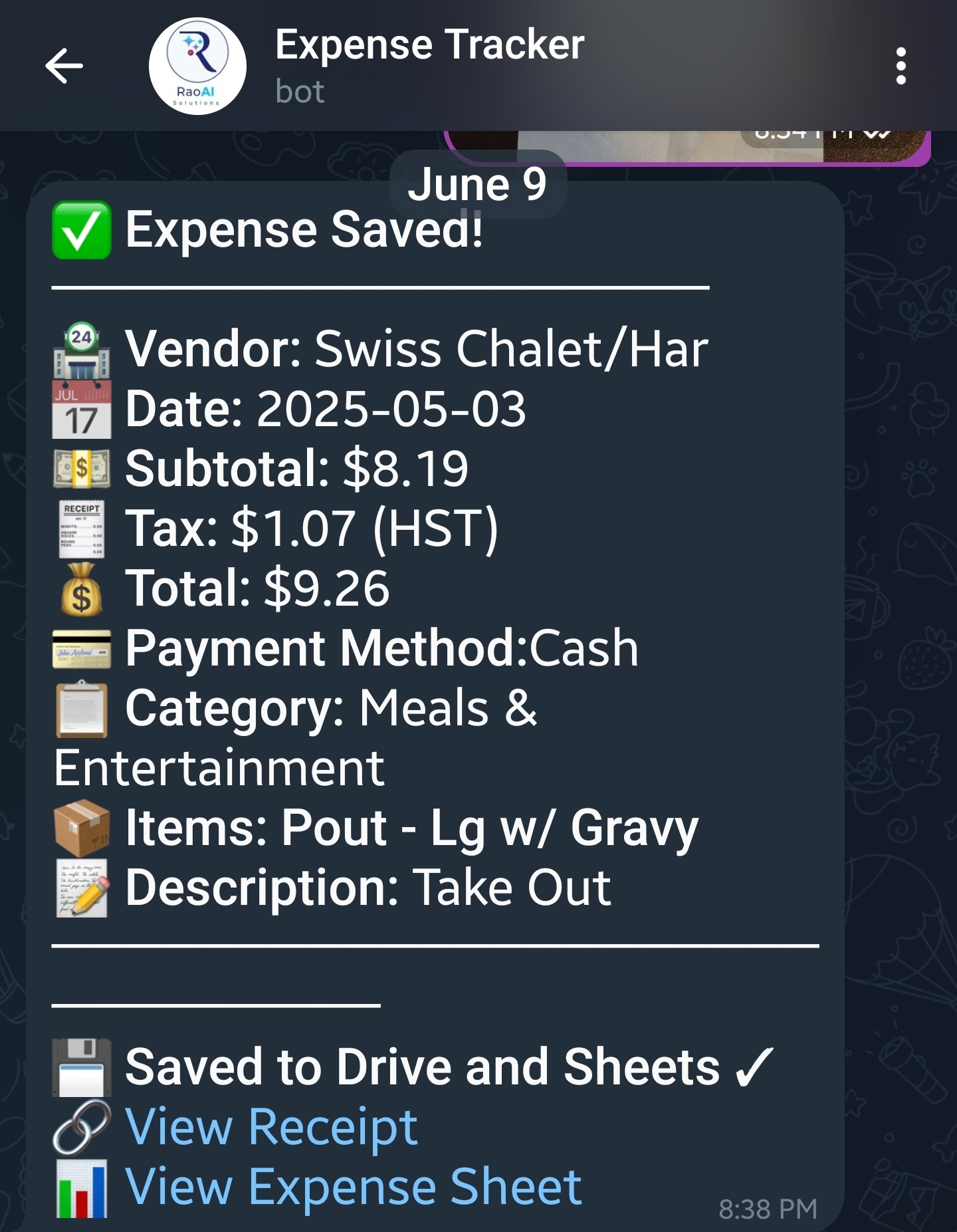
Once confirmed, the receipt image or document is saved into organized folders in Google Drive, and a new entry is added to Google Sheets with a direct link to the saved file. The user then gets a message back with links to both the file and the worksheet.
How it works in three simple steps
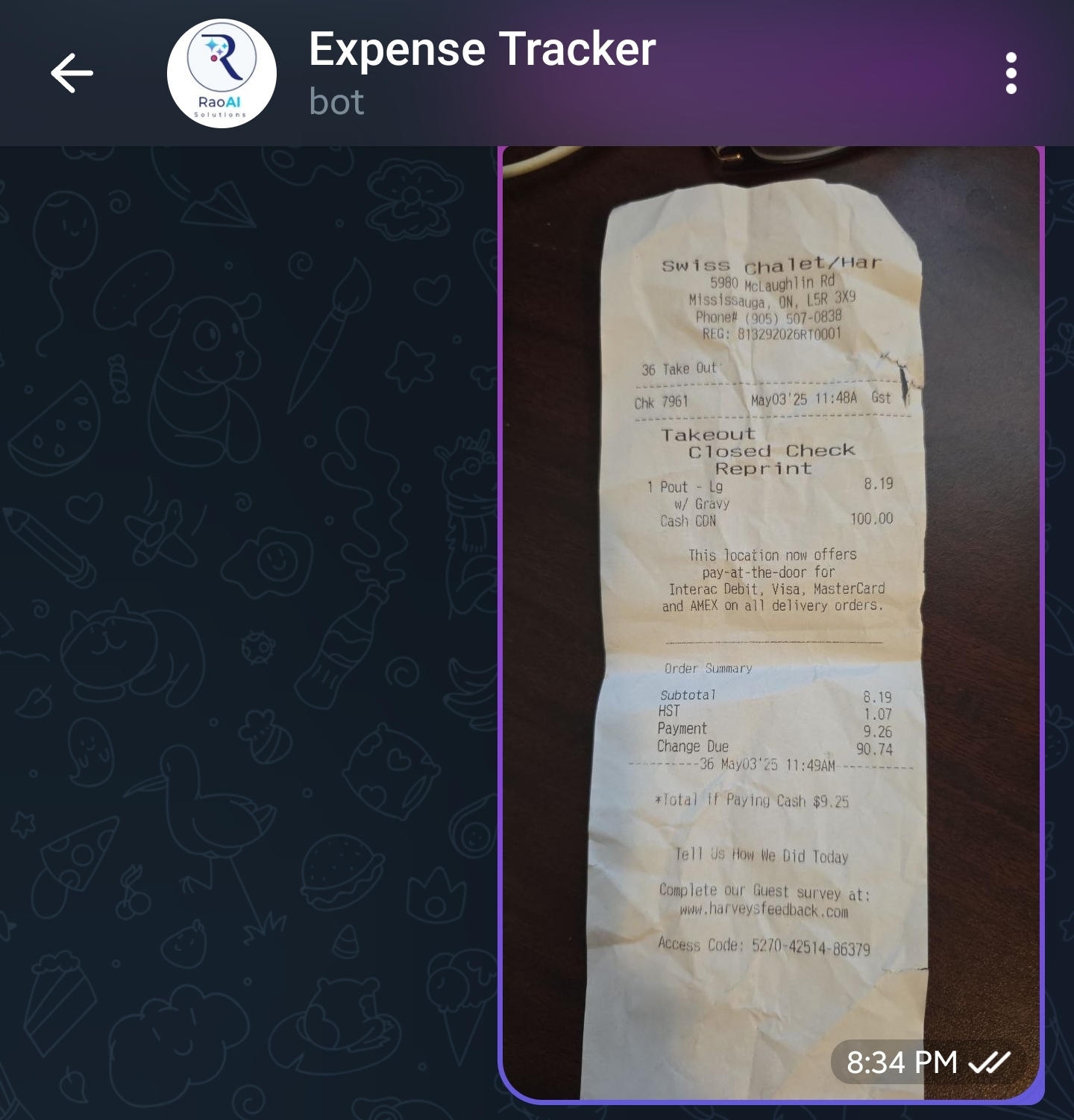
Upload from your phone
Send a receipt or document straight from your phone. No computer needed — works from anywhere you are.
Review the details
The workflow extracts the main details and gives you a chance to review or correct them before anything is saved.
Save and log automatically
The file is organized into folders, logged in a spreadsheet, and you get the links back right away.

Built from real business use
This is not a concept or a demo. It is a workflow built and used in a real business — because there was a genuine need for a better way to handle receipt capture, storage, and record organization.
That matters because the best business workflows are usually the ones built around real friction. If something is annoying enough in day-to-day work, it is usually worth simplifying.
It also means the workflow can be adapted. If your business prefers Microsoft over Google, or WhatsApp or Slack over Telegram, the same idea can be customized for your setup.
Want to see if this could fit your business?
This works especially well for businesses that are always on the move and do not want more paperwork at the end of the week. If you want to see the workflow or talk through a custom version for your tools and process, the easiest next step is a quick conversation.
Why business owners like this approach
Works on a phone
No computer required — ideal for mobile businesses and field teams.
Simple enough to actually use
Three steps. No login, no complicated interface. Easy to build into a daily habit.
Review before saving
AI extracts the details, but you confirm them — so nothing gets saved incorrectly.
Reduces the pile-up
Receipts get captured and organized right away, not in a stressful batch at month end.
Cleaner bookkeeping handoff
Organized folders and a linked spreadsheet make working with a bookkeeper much easier.
Works with your tools
Can be adapted to Microsoft, WhatsApp, Slack, or other tools your business already uses.
Important note
This kind of workflow helps organize records and reduce admin work. It is not a substitute for professional bookkeeping, tax, or accounting advice.
CRA guidance expects businesses to keep proper records and maintain readable electronic copies and backups where applicable. Having a consistent process is part of meeting that expectation.
Sources: CRA — Business records · CRA — Acceptable format for imaging paper documents
Common questions
Do I need a computer to use this?
No. The workflow is designed to be phone-friendly, which makes it easy for business owners and mobile teams to use while on the go.
Can this work outside construction or trades?
Yes. Contractors and field service businesses are a strong fit, but the same idea works for any small business that deals with frequent receipts and wants a cleaner process.
Can it use Microsoft instead of Google?
Yes. The workflow can be adapted based on the tools your business already prefers, including Microsoft-based setups.
Can it use WhatsApp or Slack instead of Telegram?
Yes. The exact tools can be adjusted depending on your team and the workflow you want to support.
Is this meant to replace a bookkeeper?
No. The goal is to make receipt capture and record organization easier so the handoff to bookkeeping is cleaner and less stressful.
Less receipt chasing. Less weekly cleanup. A simpler process.
If that sounds useful for your business, book a free 30-minute consultation and we will walk through whether this workflow is a good fit — and what a custom version might look like for your tools and team.
Related article
The One Business Expense Nobody Talks About — But Every Small Business HasFind out how much repetitive admin work is really costing your business — and which tasks can be automated first.