Automated Expense Tracking for Small Businesses
What if saving receipts only took 2 clicks? See it in action — and learn how an automated expense tracking system helps small businesses capture receipts, extract data, categorize spending, and store records in one organized workflow.
This use case shows how an expense automation process can be built using tools like Make.com, Telegram, Google Drive, Google Sheets, OCR, and AI. It can be customized based on the client's current workflow, whether receipts are copied into a folder, sent by email, or submitted through another channel.
2 clicks to save a receipt. See it in action.
Why automate expense tracking?
Manual expense tracking often creates problems such as missing receipts, duplicate entries, delayed reporting, and inconsistent categorization. For small businesses, freelancers, and service companies, these issues can quickly become a drain on time and resources.
An automated workflow reduces repetitive admin work and helps keep financial records accurate and up to date. It also makes it easier to prepare reports, track spending, and stay organized throughout the month.
Common problems this solves
- Missing or misplaced receipts
- Duplicate entries and data errors
- Delayed or inconsistent expense reporting
- Time-consuming manual data entry
- Disorganized records at tax time
- Difficulty tracking spending by category
How the workflow works
The automation can start in a few different ways. It can be triggered when an email with a receipt is received, when a receipt is copied into a Google Drive folder, or when a file is sent through Telegram.
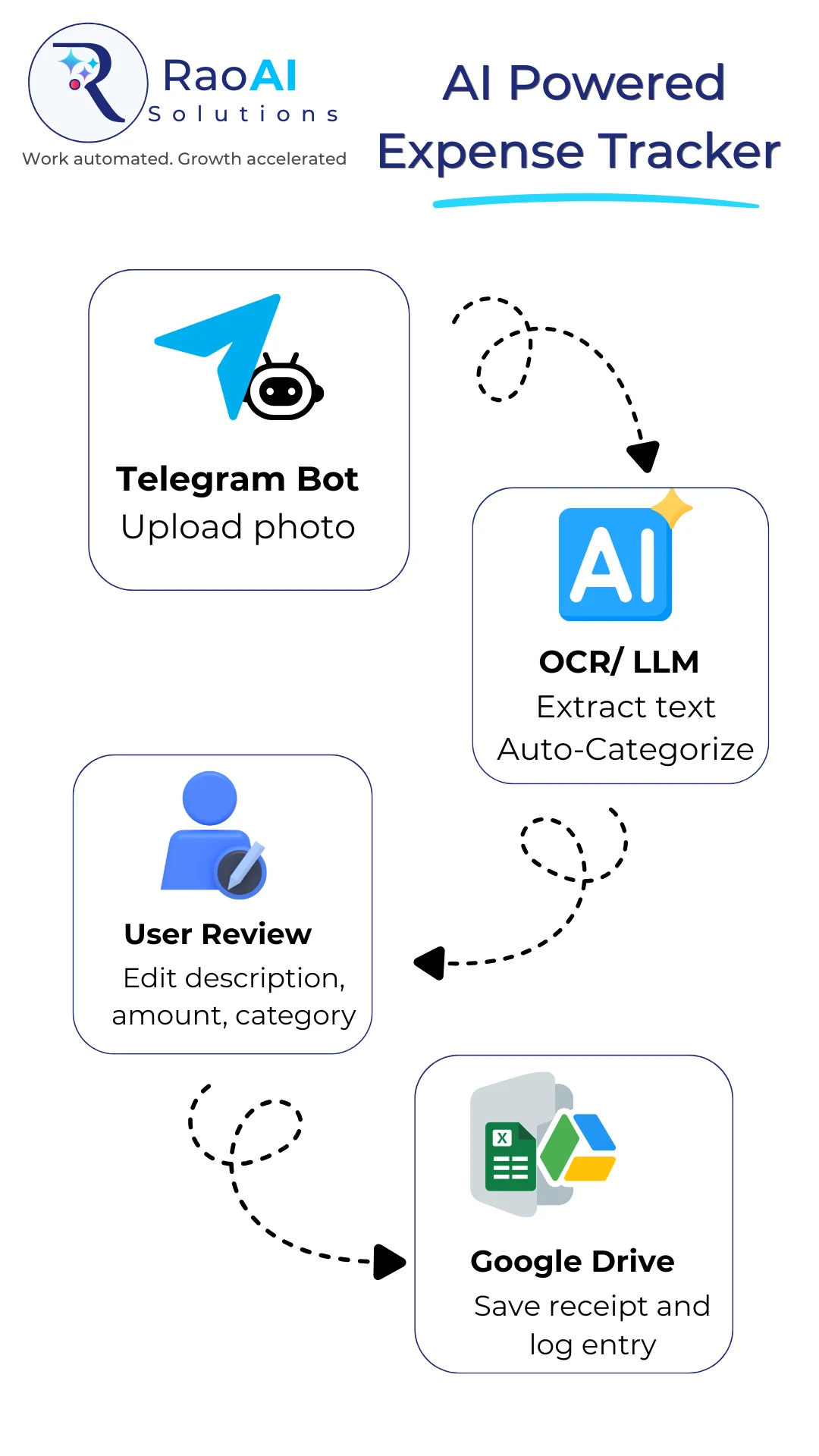
Once triggered, the system uses OCR to read the receipt and extract important details such as vendor name, date, amount, and category. AI then helps classify the expense and sends the data into Google Sheets or another connected system.
Trigger options
- Email with an attached receipt
- File copied into a Google Drive folder
- Receipt sent through Telegram
See the data flow
The diagram below shows how data moves through the automation — from receipt submission through OCR extraction, AI categorization, and final storage in Google Sheets.
Tools used in a typical setup
A typical setup may include a combination of the following tools. The solution can also be built using the automation platform the client is already using — or a recommended tool can be suggested based on their workflow volume, budget, and level of complexity.
Affordable for small businesses
A basic setup can be very affordable. Actual costs will vary depending on the number of receipts, the tools selected, and the complexity of the workflow.
| Tool | Estimated cost |
|---|---|
| Make.com | From ~$10/month |
| OCR processing | Free up to ~1,000 receipts in some setups |
| AI processing | ~$1 |
Built around your workflow
Installation time depends on how many steps the workflow includes and how many tools need to be connected. A simple version can be set up quickly, while a more advanced system with approvals, notifications, and multiple input sources will take longer.
The workflow can be customized to match business needs — including different categories, approval steps, folder structures, storage logic, or notification rules.
What this automation delivers
Less manual data entry
Receipts are read and logged automatically — no typing, no copy-paste.
Consistent categorization
AI applies the same logic every time, reducing inconsistencies across records.
Records always up to date
Expenses are logged as they happen, not in a stressful batch at month end.
Works with your tools
Adaptable to the platforms you already use — email, Telegram, Google, or Microsoft.
Easier bookkeeping handoff
Clean, organized records make working with a bookkeeper or accountant much simpler.
Scales with your business
Handles more receipts as your business grows — without adding more admin time.
Book a demo
If your business still handles expenses manually, this type of automation can save time and reduce errors while keeping records more organized. Book a demo to see how an automated expense tracking workflow can be built for your business — tailored to your current tools, workflow, and budget.
Related articles
A Simpler Way for Business Owners to Manage ReceiptsA phone-first workflow for capturing, reviewing, and organizing receipts automatically — so bookkeeping prep is no longer a headache.
The One Business Expense Nobody Talks AboutFind out how much repetitive admin work is really costing your business — and which tasks can be automated first.